Macintosh
This is the section of our site where you can get information on the great Mac OSX system and many apps that run on it!
Windows
Come here to find out how Windows is changing and how you can keep up! Also there are reviews, how-to's and tutorials concerning Windows.
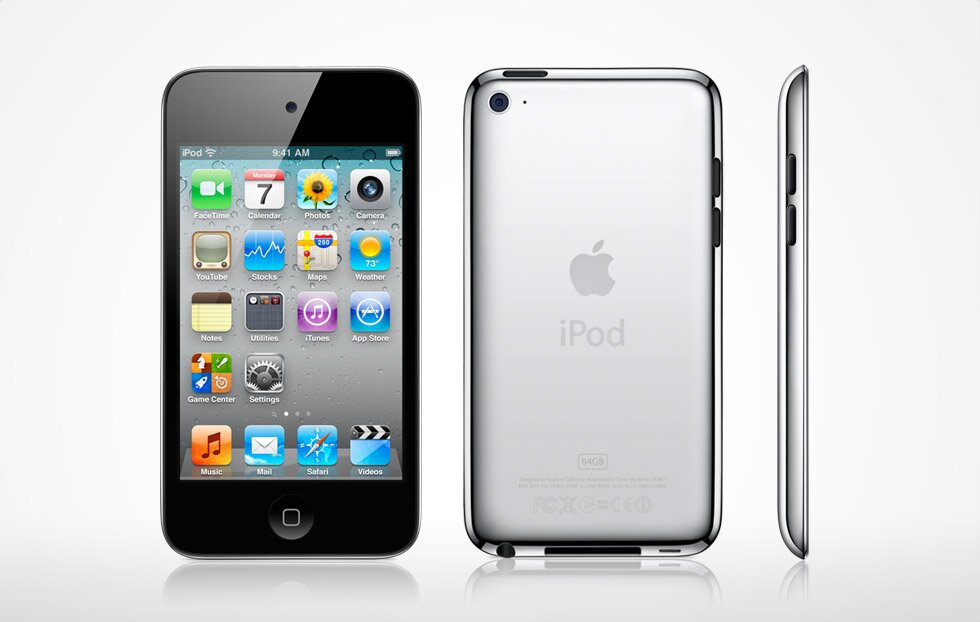
iPod
Can't jailbreak? Don't know the off button from the volume buttons? This is the perfect place for you. Here we show you what Apple is updating on their wide range of iPods!
Showing posts with label Mac. Show all posts
Sunday, September 4, 2011
Starcraft 2 review
Starcraft 2 is a really fun and challenging game to play. It is a real time strategy game so it is a game that can improve on gaming knowledge. The game is based on 3 races, Terran, Protoss and Zerg. The aim of the game is to build structures then you train units to kill their base to win.
Zerg is a race of swarm, it consists of bugs and creatures that are not very good looking. It is a race that must need a lot of control, speed and knowledge to play the race. It is a race that can be enjoyed if you can play correctly
Protoss is a race of creatures from out of space. It is a race that has strong units and hard to deal with if it is in a massive group. They take time to get use to and needs a lot of control to handy the race.
Terran is a human military forces that are made from structure. The units are usually in a group and are very fast and strong. The Terran are The main race in Starcraft 2 Wings of Liberty because of the main character, Jin Raynor.
Strategy
The way to be a great player is knowing the all of the hot keys. The strategies are like most of the RTS games.
Tuesday, August 9, 2011
Age of Empires 3 review
To paraphrase The Who, meet the New World, same as the Old World.
Of course, it doesn’t look the same. Three years on from the stunning Age of Mythology, Ensemble have once again raised the bar for strategy game visuals. Age of Empires III is beautiful to look at. Attractive in still screenshots, in motion it’s really something else. Just look at the gorgeous, shimmering water, the rugged contours of that unexplored landscape. Admire the detailed, brilliantly animated units, the settlers chopping trees, planting crops or hunting deer, the way that buildings splinter and shatter when they receive one cannon ball too many. Zoom in and check out the detail – the jumping fish, the wildlife, the smoke, the vegetation. Watch ships gliding along a channel between two tropical islands. Few games, full stop, have looked this good.

And on first impressions, the game underneath has undergone a transformation. It’s still an RTS, it’s still concerned with the old themes of base building, resource gathering and enemy crushing, but those themes have taken something of a twist. Firstly, like Age of Mythology, AoE III takes a story-based approach to the main single-player campaign. Tracking a family saga across three acts, taking in different historical eras and running from Malta through the Caribbean before settling down in the Americas, it gives you more than just conquest for motivation, with characters, cut-scenes and some nifty spots of conspiracy and betrayal to get your teeth into.
Secondly, the AoE III exploits its “European powers in the new world” theme by maintaining strong links between your colonizing forces and the homeland. In fact, the game’s biggest innovation is a new Home City screen, which will differ according to your chosen civilization: Spanish, British, French, Portuguese, Russian, Ottoman, German or Dutch. During campaign missions, single player skirmishes or even multi-player games, players can request shipments from their home cities, containing resources, troops, bonus abilities, and that general sort of thing. This is of enormous assistance, particularly when you need some help to shore up your defences in a hurry, or turn the tide of battle in your favour.

In return, victories won in the new world mean upgrades for the Home City, adding new shipping options to your selection. If you fancy, you can even make cosmetic changes to your city, transforming the look of buildings or choosing characters to bustle around in the background. Now, the Home City isn’t quite the killer feature Ensemble seem to think it is – it’s more a cool feature than a reason to keep playing – but it both ties the game together and gives you good reason to really get to grips with your choice of civilization. Naturally, this in itself has a downside: it practically discourages you from taking other civilizations for a spin, which when each has a slightly different flavour and different units and capabilities to enjoy, would be a shame.
Of course, it doesn’t look the same. Three years on from the stunning Age of Mythology, Ensemble have once again raised the bar for strategy game visuals. Age of Empires III is beautiful to look at. Attractive in still screenshots, in motion it’s really something else. Just look at the gorgeous, shimmering water, the rugged contours of that unexplored landscape. Admire the detailed, brilliantly animated units, the settlers chopping trees, planting crops or hunting deer, the way that buildings splinter and shatter when they receive one cannon ball too many. Zoom in and check out the detail – the jumping fish, the wildlife, the smoke, the vegetation. Watch ships gliding along a channel between two tropical islands. Few games, full stop, have looked this good.

And on first impressions, the game underneath has undergone a transformation. It’s still an RTS, it’s still concerned with the old themes of base building, resource gathering and enemy crushing, but those themes have taken something of a twist. Firstly, like Age of Mythology, AoE III takes a story-based approach to the main single-player campaign. Tracking a family saga across three acts, taking in different historical eras and running from Malta through the Caribbean before settling down in the Americas, it gives you more than just conquest for motivation, with characters, cut-scenes and some nifty spots of conspiracy and betrayal to get your teeth into.
Secondly, the AoE III exploits its “European powers in the new world” theme by maintaining strong links between your colonizing forces and the homeland. In fact, the game’s biggest innovation is a new Home City screen, which will differ according to your chosen civilization: Spanish, British, French, Portuguese, Russian, Ottoman, German or Dutch. During campaign missions, single player skirmishes or even multi-player games, players can request shipments from their home cities, containing resources, troops, bonus abilities, and that general sort of thing. This is of enormous assistance, particularly when you need some help to shore up your defences in a hurry, or turn the tide of battle in your favour.

In return, victories won in the new world mean upgrades for the Home City, adding new shipping options to your selection. If you fancy, you can even make cosmetic changes to your city, transforming the look of buildings or choosing characters to bustle around in the background. Now, the Home City isn’t quite the killer feature Ensemble seem to think it is – it’s more a cool feature than a reason to keep playing – but it both ties the game together and gives you good reason to really get to grips with your choice of civilization. Naturally, this in itself has a downside: it practically discourages you from taking other civilizations for a spin, which when each has a slightly different flavour and different units and capabilities to enjoy, would be a shame.
Monday, August 8, 2011
Lion Recovery Assistant
Many of you will probably have taken the jump to Lion, but may have missed a physical copy or a disk. For example, what do you do when your system screws up and you need to set your permissions straight? You can't do anything with Lion, because when the software screws up, so does Lion. That's why Apple has released a Recovery Assistant to help you. If you have a spare USB or something, you can use it as a disk. Confused? Apple has made an app that lets you format the USB or hard-drive so that it can be used as an installer for Lion and a disk utility. Here are the instructions from Apple on how to do it exactly-
Summary
The Lion Recovery Disk Assistant lets you create Lion Recovery on an external drive that has all of the same capabilities as the built-in Lion Recovery: reinstall Lion, repair the disk using Disk Utility, restore from a Time Machine backup, or browse the web with Safari. This drive can be used in the event you cannot start your computer with the built-in Recovery HD, or you have replaced the hard drive with a new one that does not have Mac OS X installed.
Products Affected
OS X Lion
System requirements
- A Mac running OS X Lion with an existing Recovery HD
- An external USB hard drive or thumb drive with at least 1GB of free space
How to use Lion Recovery Disk Assistant
The Lion Recovery Disk Assistant will erase all data on the external drive when creating the Recovery HD. You should either backup your data before running the Lion Recovery Disk Assistant, or create a new partition on the external drive.
Open Lion Recovery Disk Assistant and follow the on screen instructions to create a Recovery HD on the external drive.
When the Lion Recovery Disk Assistant completes, the new partition will not be visible in the Finder or Disk Utility. To access the external Recovery HD, connect the drive, then restart the computer and hold the Option key. Select Recovery HD from the Startup Manager.
Notes
- If the computer shipped with Lion, the external recovery drive can only be used with the system that created it.
- If the system was upgraded from Mac OS X v10.6 Snow Leopard to Lion, the external recovery drive can be used with other systems that were upgraded from Snow Leopard to Lion.
Additional Information
To download the Lion Recovery Disk Assistant, click here.
Sunday, August 7, 2011
Top 5 CandyBar icon Packs
If you are wondering,"Which candy bar are you talking about" you had better check out our CandyBar review. However, with your newly-acquired software, you will want to change your systems icons, then this is the place for you.
~~~BTW this time, these are in the order of coolness.~~~
Flurry-
Arguably the best icon set ever created, this is the king of all icons. These can be downloaded as an iContainer for Mac and PC with the link above.
Steampunk Storage-
If Flurry is the king, then this is the Queen of icons. With cool and eccentric icons, this is a must for all reminiscent of when hard drives actually looked like this! Again available as a iContainer for Mac + PC
The Agua folder collection, this time in Onyx black. Blends in with dark wallpapers and stands out in the light ones! A perfect icon set for people new to CandyBar!
A more grunge/metro icon set for those who are into the whole pre-used thing. Comes with a Desktop set as well as a whole horde off additions and extra sets.
~~~BTW this time, these are in the order of coolness.~~~
Flurry-
| Move out iPhone, Mac OSX here we come! |
Steampunk Storage-
| Die in shame, Jules Vernes! |
| Welcome to the future! |
Presenting.... the Squire of icons! Ive Drives are a sleek and smooth drives that resemble the laptops that Apple makes, except in icons... if that makes sense.
| Black is the new... black! |
Litho -
| Coming to you from downtown.... Litho icon set! |
What do you think of our top 5 CandyBar icon sets? Do you have any more to add? Comment below and tell us your opinion!
Thursday, August 4, 2011
Adsense; Do you use it?
As you can see, I do have Google AdSense enabled for this blog. However, for some of you people out there, the choice is not that easy. Even though Google AdSense has grown in popularity a lot around the world, it is not a get rich quick scheme. Many bloggers only get $1-$2 a day from Google Adsense.
Google AdSense makes it easy to manage your ads and how you will get the money. One of the greatest assets to Google and also their possible downfall is that they scan your work for keywords to put their ads onto. While this makes the ads appropriate, it also scares some people with the notion that nothing is private.
One of the biggest problems with AdSense is that will not tell you specific reasons for why you have gotten banned. Although this increases the integrity of the website by not linking actions to consequences, unless you read and understand the terms and conditions, you won't know all the rules.
Another way a malevolent site can get you banned is by them spam-clicking on your website. This creates an abnormal click-through rate and will get you banned.
What do you guys think? Do you have or have had problems with AdSense? Tell us your opinion in the comments below.
Google AdSense makes it easy to manage your ads and how you will get the money. One of the greatest assets to Google and also their possible downfall is that they scan your work for keywords to put their ads onto. While this makes the ads appropriate, it also scares some people with the notion that nothing is private.
One of the biggest problems with AdSense is that will not tell you specific reasons for why you have gotten banned. Although this increases the integrity of the website by not linking actions to consequences, unless you read and understand the terms and conditions, you won't know all the rules.
Another way a malevolent site can get you banned is by them spam-clicking on your website. This creates an abnormal click-through rate and will get you banned.
What do you guys think? Do you have or have had problems with AdSense? Tell us your opinion in the comments below.
Friday, July 29, 2011
Our Blog has expanded!
If any of you noticed, we have new buttons across the top navbar! This is Hardware. In this we will be having reviews on laptops, phones and tablets. If any of you have any requests on what we should review next, then simply mail the suggestion to elpinggaolu@gmail.com. Have a nice day and keep an eye out for our new categories!
BTW- if any of you people are wondering, we are going to archive reviews on iPods in the Mobile section.
Also the iPad, iPhone and the iPod sections will be of news, while in the mobile section we will have reviews of the hardware plus much more!
BTW- if any of you people are wondering, we are going to archive reviews on iPods in the Mobile section.
Also the iPad, iPhone and the iPod sections will be of news, while in the mobile section we will have reviews of the hardware plus much more!
WOW review
MMOs are a strange beast. They are designed to make you play as much as possible, yet addictiveness does not always equal fun. In the field of pyschology, there are several kinds of rewards systems, and the one that seems to be the most successful is the random reward introduced at a random time. Sometimes you click the button, and nothing happens. Sometimes you click and get the food pellet. It's this mechanism that fuels the slots in Vegas, and when you walk away empty, as is statistically inevitable over a long enough stretch of time, you tell yourself that the overall value was the experience itself, since you come away with nothing tangible. MMOs take away your time and they never deliver a discreet conclusion.
I played a ton of Dark Age of Camelot shortly after it launched, and I find myself reminded of it negatively every day that I play World of Warcraft. To discuss the differences in favor of WoW would be an article in itself, but I'll try to keep to the main points.
First, let's talk about The Grind. In a traditional persistent online RPG, you advance your character by killing an endless string of monsters, and by doing "FedEx" quests where you get some money and/or experience points by delivering an arbitrary item from Point A to Point B. As your character advances, his or her progress begins to slow. It takes longer and longer to get to the next level, because you need more and more experience points each time, yet the experience returned from monsters and deliveries does not scale accordingly. Yet you feel compelled to continue because at Level X you get a really cool spell or other ability that's supposed to make the game more "fun."
The second part of the grind is "downtime," the amount of time it takes to recover from each monster (or "mob") encounter. When I played DAOC, it typically took every ounce of my resources to defeat an enemy that would give me respectable experience. Then I would sit down and wait while my energy bars slowly refilled. Then you'd have to wait awhile for the next batch of monsters to spawn again, and you'd typically be competing against other players and "camping" this same spot all day long.
Now, imagine an MMO where your experience is a string of quests where you're rewarded with a cool item, recipe, or a decent amount of pocket money. A game where the grind is virtually eliminated--a game where downtime is relatively nonexistent, where enemies respawn rapidly and dynamically according to how many players are in the local area; where you can use a healing spell, or bandage yourself, or eat some food, or all three, before diving right back in again. Your character's death doesn't result in the loss of many hours of experience points, or one of your items, or any money (although there is item decay, so whatever you have equipped currently takes a 10% durability hit). When you die, you resurrect as a ghost who moves quickly, runs on water, and cannot be harmed on its way back to its body. You can also have a player resurrect you in a matter of moments, even after you have entered ghost form. This is a game that understands Fun.
Welcome to World of Warcraft.by Tom McNamara
From- IGN PC Gamer
Microsoft office for Mac 2011 review
If any of you people reading this, have got Microsoft for Mac 2008 (MFM 2008) then you probably will never want to have anything to do with the corporate giant's mac productivity suite. Yeah, it's slow, takes too long and has nowhere near the power that iWork has, but this time, Microsoft may have gotten it right. They almost have a guarantee that all the apps will launch in less then 10 seconds!
In the past MFM humiliated users because of the general inferiority of MFM compared to the native Windows suite. But to maybe offer compensation, the team at Microsoft have created a stunning software suite that maybe even overtakes Microsoft 2010! With superb editing options in Word and PowerPoint, this is the must-have for all heavy-duty productivity on Mac. The only seemingly bad thing about MFM 2011 is it's price. It may never take over iWork, but for now, MFM 2011 has taken the Mac world by storm.
I would recommend this for users who need to do big-time editing such as magazine editors. MFM 2011 can work with Adobe InDesign as well, so if you use that then you do not have to give up the editing capabilities of that as well. If you are a college student and just need a editor to get you through the semester, iWork would still be the best choice. But if you have the money then MFM is the way to go!!
In the past MFM humiliated users because of the general inferiority of MFM compared to the native Windows suite. But to maybe offer compensation, the team at Microsoft have created a stunning software suite that maybe even overtakes Microsoft 2010! With superb editing options in Word and PowerPoint, this is the must-have for all heavy-duty productivity on Mac. The only seemingly bad thing about MFM 2011 is it's price. It may never take over iWork, but for now, MFM 2011 has taken the Mac world by storm.
I would recommend this for users who need to do big-time editing such as magazine editors. MFM 2011 can work with Adobe InDesign as well, so if you use that then you do not have to give up the editing capabilities of that as well. If you are a college student and just need a editor to get you through the semester, iWork would still be the best choice. But if you have the money then MFM is the way to go!!
Thursday, July 28, 2011
Facebook vs Twitter
In the heyday of most of our lives we connect to each other using mostly social networking sites. Some of the two biggest are Facebook and Twitter. These two are the heavyweights of social media. Even though more people use facebook, twitter is in the limelight alot thanks to superstars goofing up on its "instant messaging platform. I will be taking a closer look at both of these to see which one really is the best.
Compatibility-
Twitter allow tweets to be posted on a variety of different softwares that run on different platforms. These include iDevices, Mac and Windows. Now that Android is also catching on fire, Twitter may gain stakes there as well. Facebook, however is restricted to a few applications such as Socialite. Also notice that the FB(Facebook) applications are normally pay-to-use, while many of the Twitter ones are free.
Popularity-
We all know that FB is the most popular social-networking site, but how many of those users actually enjoy the experience. Also to be noted is the growth of these two sites. According to CNET News Twitter has grown 1382% on the number of users that signed up. This places it as the fastest growing social networking site in the world. FB, however, is third at a growth of 228%. So even though FB has more users, Twitter is catching up fast.
Usage-
This part of the battle should be of the most interest of you. Most people really don't care if there are 1 million users on a site or 1 billion. It's about what benefit it is to you. FB is for people who know a lot of people and would like to stay up to date with their moods and messages. Twitter, however is a lot more open. In FB people take care of what they say as it could offend people. On Twitter, nobody really cares if you start ranting off about your cat or something. Also on Twitter you have more of an opportunity to meet new people and groups.
In conclusion, they are both very good social networking sites but are both built differently. Twitter is like an invitation to a world stage where you have the opportunity to make your mark. This is why more businesses prefer Twitter. FB is for people who would rather stay in touch with long lost family and relatives and don't really give a hoot if the new black is white.
So in the end, the decision is up to you. Facebook or Twitter? Comment below to tell us which one you choose. BTW GreenApple has both FB and twitter so like us and follow!
Compatibility-
Twitter allow tweets to be posted on a variety of different softwares that run on different platforms. These include iDevices, Mac and Windows. Now that Android is also catching on fire, Twitter may gain stakes there as well. Facebook, however is restricted to a few applications such as Socialite. Also notice that the FB(Facebook) applications are normally pay-to-use, while many of the Twitter ones are free.
Popularity-
We all know that FB is the most popular social-networking site, but how many of those users actually enjoy the experience. Also to be noted is the growth of these two sites. According to CNET News Twitter has grown 1382% on the number of users that signed up. This places it as the fastest growing social networking site in the world. FB, however, is third at a growth of 228%. So even though FB has more users, Twitter is catching up fast.
Usage-
This part of the battle should be of the most interest of you. Most people really don't care if there are 1 million users on a site or 1 billion. It's about what benefit it is to you. FB is for people who know a lot of people and would like to stay up to date with their moods and messages. Twitter, however is a lot more open. In FB people take care of what they say as it could offend people. On Twitter, nobody really cares if you start ranting off about your cat or something. Also on Twitter you have more of an opportunity to meet new people and groups.
In conclusion, they are both very good social networking sites but are both built differently. Twitter is like an invitation to a world stage where you have the opportunity to make your mark. This is why more businesses prefer Twitter. FB is for people who would rather stay in touch with long lost family and relatives and don't really give a hoot if the new black is white.
So in the end, the decision is up to you. Facebook or Twitter? Comment below to tell us which one you choose. BTW GreenApple has both FB and twitter so like us and follow!
Wednesday, July 27, 2011
VMware fusion vs Parallels
If any of you people are thinking about dual-booting your recently acquired Lion system, but are looking at BootCamp as a last resort, then you are probably looking at virtualization software. This is pretty much running a OS on your computer as a window. The advantages of this are that you can quickly access your Windows or Linux and drag and drop files or data into them. The two most popular virtualization softwares on the market today are Parallels and VMware Fusion. They both have around the same price so I am going to trial both of them and see what I think.
Graphics-
Both of these softwares are good in graphics, but VMware would win it here. The sleek and simple virtual machine home, combined with a smooth transition is hard to beat. Parallels, on the other hand, has a very abstract system. It's good but not great.
Speed-
These two are nose-to-nose when it comes to speed on a relatively fast computer, like my desktop. However, with my laptop, it can take a long while to process on Parallels. VMware on the other hand takes a lot faster. So with this one, VMware wins!
Compatibility-
Parallels is a lot more compatible in terms of software. If you have a long-lost version of Windows or Linux is the way to go.
So there you have it. My comparison of these two softwares. It's up to you to make the decision between both of them. However, if you don't have the money then a freeware called VirtualBox is also good for virtualization. Keep an eye out for the VirtualBox review!
Tuesday, July 26, 2011
Lion tops 1 million in one day!
Even though it is a bit late, Apple has reported that Lion has exceeded 1 million downloads on it's debut date. More from DynamicBusiness
Over 1 million users around the world have downloaded Apple’s OS X Lion, the operating system being hailed as a step forward in the merger of PCs and smart devices, in just 24 hours.
Apple Senior Vice President of Worldwide Product Marketing Philip Schiller said users are purchasing Lion faster than any other OS release in the company’s history.
“User reviews and industry reaction have been fantastic,” he said.
OS X Lion is available for download from the Mac App Store for AU$31.99. The 4GB download requires just 2GB of memory and 7GB of available space, and delivers over 250 new features.
The new OS incorporates multi-touch gestures, such as pinch zoom and swipe to switch between applications. It also features inverse scrolling, which allows users to scroll up to go down a page.
The Air Drop feature allows users to send files wirelessly to anyone around them, who also has the feature activated, making it ideal for business use. AirDrop uses peer-to-peer Wi-Fi between participating Mac computers and doesn’t require a wireless network infrastructure or base station.
Another much-lauded new feature is Resume, which ensures apps reopen where the user left off and Auto Save, which saves all files automatically every five minutes or during pauses. Auto Save’s Revert feature returns the document to its last opening state, and also creates a “version” which means users can view all versions in a stack, going back to an older version, or copy and pasting from one to another.
Lion’s Mail system is described as a “new take on email,” and boasts widescreen view, full height messages and a list that includes snippets.
Users need OS X v10.6.6 or later to upgrade to Lion, and must upgrade to the latest version of Snow Leopard first.
Saturday, July 23, 2011
CandyBar review
![]() |
| Want to take a bite? |
Have you ever wanted to change your icons but didn't know how? Or maybe some icons just don't suit you. Introducing CandyBar!!
CandyBar is a icon-changing software published by Panic. It is distinctive in the feature that allows you to change the icons of all your applications in one click. With a simple drag and drop interface, CandyBar allows people of all ages and abilities to change the icons of any application on the computer.
It doesn't stop at applications. You can change the individual looks of all your folders using drag-and-drop. This is achieved by making or downloading "icon packs". These are available at the IconFactory website.
CandyBar 3 comes with a icon editing software called pixadex. This can let you be in charge of what the final result looks like.
Unlike all good things, this however doesn't come for free. At a price of $29 dollars it is relatively cheap. It comes from the same makers as Coda and Transmit so you know that the UI will be, well, like eyeCandy!
Windows vs Mac OSX
So a while back I sort of started the OS Wars series. Even though I haven't posted much from it here is a total review of Windows vs Mac OSX
We all know who we like the best between the two of these operating systems. But the thing is, my opinion won't be worth a byte to you. So I'm not going to say anything until we have looked at third-party facts and opinions.
First up- http://www.hongkiat.com/blog/mac-vs-pc-myth-busting-consumer-guide/
It’s no secret; Microsoft dominates the world’s operating systems market. The reason for this domination is simply because; Microsoft designed its operating systems to be compatible with various hardware created by a wide range of computer companies such as Dell, IBM, hp, and Sony, etc.
In the other hand, Apple designed its software for close integration of computer hardware and software, which means it’s not compatible with other computer hardware.
To put it in easier terms; Microsoft sold it’s operating systems to various computer companies, allowing a broad distribution for its operating systems. As a result, Microsoft is more popular than other operating systems in the market. In the mean while, Apple has strictly designed their operating system to fit perfectly in their own hardware.
Mac users consist of:
- Home Office users such as authors & lawyers
- Start ups such as Twitter & Monster Designs
- Accountants such as Nelson Accounting Professionals
- Architects such as KAA Design Group
- Creatives such as LinkedIn, T-Pain, Hallmark, and Francis Ford Coppola
- Health industries such as hospitals
- IT professionals such as MailWise
- Law firms
- Real Estate agents
- Retail stores such as Paul Frank
- Scientists such as The University of Manchester and The American Museum of Natural History
When I tried to do the same search for Windows users, my efforts were to no avail. So I went to the Microsoft website, hoping to find something about their users and where they work, but I couldn’t find that much either.
From the various articles I’ve read online, Windows users basically consist of the following:
- Home office users
- IT Professionals
- Developers
- Business owners
- Schools
- Hospitals
- Banks
From http://techcrunch.com/2009/07/23/the-mac-versus-pc-debate-has-never-been-clearer/
“Our goal is not to build the most computers. It’s to build the best.”
That was Apple COO Tim Cook two days ago during Apple’s quarterly earnings call. Sure, it may sound like spin from an executive who doesn’t have a better answer as to why Apple isn’t competing in the low-end of the market, and thus, gaining market share. But it’s not.
You need look no further than numbers released today by NPD to understand Apple’s strategy. Its revenue share of the “premium” price market — that is, computers over $1,000 — is a staggering 91%. This means that 9 out of every 10 retail dollars that is spent on PCs in that price range, goes to Apple, as Betanews’ Joe Wilcox points out. That, for lack of a better word, is insane.
Analysts and journalists are often quick to point out Apple’s relatively low overall market share (less than 10%). But that completely misses the point of Apple’s Mac business. If Apple wanted to make a range of low-end computers, it absolutely could. And such machines would sell like crazy, boosting Apple’s market share. But there would have to be some trade-off in quality, and perhaps more importantly to Apple, to its high margins. And as it has proven time and time again, it has no desire to give up either.
Instead, Apple is content to keep churning out its high-quality, high-margin machines, and watch the profits roll in. If it happens to gain market share as a byproduct of that, that’s great. You can’t be so naive to think that Apple doesn’t care about that at all, of course it does, but it’s clearly a secondary goal, which most people don’t seem to understand.
It’s a metaphor that’s often used, but a way to think about it is if Windows-based PCs as a whole are thought of as a top selling car like the Toyota Camry, Apple’s Mac computers would be more like a luxury car, like a Porsche. Porsche sales are just a fraction of Camry sales because it does not sell any models in the low-end price range. But at the same time, Porsche makes more money on each car sold and maintains a premium branding. If Porsche started selling cheap cars, it would move a lot more units, but it would no longer be the Porsche brand that we know.
That’s not to say the Camry sucks or that the Porsche is perfect. They’re just two different cars that cater to different markets. And they represent the two different goals that most Windows-based PCs have (market share) versus Apple’s Mac computers (high-end revenue share).
And that’s why Microsoft’s recent Laptop Hunter commercials really never made a lot of sense. Sure, from a marketing perspective, I understand the idea: It’s a down economy, lets play up the fact that our computers are cheaper. But in many of the spots, the shopper’s stated desired computer was simply not something that Apple even made. In the famous first commercial, Lauren wants a laptop with a 17-inch screen for under $1,000. Okay, Apple doesn’t make that product. So of course she’s not going to buy a Mac.
The real point is that people who are shopping for computers where price is the key factor, were never going to buy Macs anyway. They never have. There is a reason Apple still has less than 10% market share. Did Microsoft need to spend millions of dollars on commercials to tell us that?
Instead, those commercials set up a narrative around the bifurcation of the computer-buying public. And today’s NPD numbers are the perfect ending to that story. If you’re a consumer looking for a bargain computer, you’re happy to save money buying a PC. If you’re looking for a premium computer, you’re happy to spend more money buying a Mac.
So what do you think? Are you a high-end business man looking for a computer? Or in the middle-class looking for a bargain? Tell us in the comments below what you think the better computer is and why.
Friday, July 22, 2011
Wednesday, July 20, 2011
MacKeeper Review
Have you ever needed to clean out your mac's junk? Or had a overload of annoying duplicates? MacKeeper is a program published by ZeoBit. It is a application that acts like a maintenance utility to keep your mac in shape. It allows you to clean out your duplicates, undelete, and encrypt your data. It even tracks your mac if you have the bad luck to get it stolen!
The thing is your mac's apps are designed ready for every scenario. This means they probably have, like, 10 languages including some random Klingon dialect. Unless you need all these language files you probably can delete them. MacKeeper does this for you. Also there are settings in which you can delete binaries. Binaries are the other side of the applications that you have allowing them to run on old PowerPC models. You only ever need one of these so it makes sense to delete the one that you aren't using!
Have you ever copied and pasted some movie and forgotten about it? The duplicate movie takes up computer space, and you aren't even using it. So MacKeeper has a duplicate remover. These are some of the features that make MacKeeper stand out amongst it's class. Is it better than CleanMyMac? You can decide with the next review on CleanMyMac!
Free trial-http://mackeeper.zeobit.com/
BTW- that's not me in the video
Have you ever copied and pasted some movie and forgotten about it? The duplicate movie takes up computer space, and you aren't even using it. So MacKeeper has a duplicate remover. These are some of the features that make MacKeeper stand out amongst it's class. Is it better than CleanMyMac? You can decide with the next review on CleanMyMac!
Free trial-http://mackeeper.zeobit.com/
BTW- that's not me in the video
Lion has come out!!!
Finally, Lion has come out on the MAS. We are writing this as the long awaited operating system is being downloaded. And for only $30 it is amazingly cheap. Well I guess this brings an end to our post-down. Our next "post-downs" will be on Windows 8 and iOS 5. Keep an eye out for them and the reviews that we will be posting!!
Sunday, July 17, 2011
When is Lion COMING OUT??? pt.12
Will any of my predictions be right? Maybe.... Only time will tell. While you're waiting for time to tick away you can buy some apps that are sure to be game-ready for the leap of faith into Lion. Perhaps all the information in your Angry Birds will be lost, making you get 3 stars on all levels again. Or maybe the "need to do" file in your computer will jump into the void of the Trash Can on it's own. Whatever the dilemma it may happen as you are upgrading. Some developers have taken advantage of the pre-release builds of Lion and modified their apps to work with full nativity.
From- OSX Daily

From- OSX Daily

Despite the fact that today is (was) the speculative launch day, OS X Lion has yet to appear. Nevermind that though, the good news is that Apple is rapidly accepting Lion-ready apps to the Mac App Store, indicating that a launch will be very soon.
If you’ve been following along here, we pointed out earlier in the week that Apple had just recently began accepting Lion apps to be reviewed for the Mac App Store, which cast some doubt on a launch this week. Additionally, we cited AppleInsider who suggested that Lion was pushed back to the “week of July 21st” due to some last minute security issues, and separately, we’d also been hearing that Lion would be launched next week, but the reliability of those sources has yet to be determined (no offense people) so just take that info with a grain of salt. Here’s what we said, which also touches on what “Lion-ready” means for OS X apps:
Independently, we have heard chatter of a July 19th or July 22 launch for Lion, but like all other claims on a specific launch date, they appear to be mostly speculative. The only certainty is that Apple appears to maintain a fluid timeline for the Lion release, but putting the launch off a week or two would give Apple plenty of time to approve Lion-compatible apps for the Mac App Store. Among other things, Lion compatibility means 64-bit architecture and also generally includes support for Lion-specific features like Versions and Full Screen apps.
As you can see in the screenshot above from the app WordCrasher, some of the Lion-ready apps on the Mac App Store specifically point out support for fullscreen mode, Resume, and Versions.
For it’s part, Apple has thus far announced simply that Lion will be released in July on the Mac App Store, but has yet to provide a specific day when 10.7 would be widely available.
Update: In addition to WordCrasher, BusyCal, Cruz, Pilot eLog, Harmony Worship, ShortCuts, SwordSoft Layout, and many more have also been added to the App Store with Lion support.
As the days of July draw onwards we are filled with expectation when we open the App Store. However we have been disappointed so far. What will tomorrow bring us?
Friday, July 15, 2011
When is Lion COMING OUT??? pt. 11
OMG!!! Lion is still not out! All our information was wrong! Even though Apple has published a release date in July, Lion has still not come out. We had rumors of release dates of today and 14 July but we were wrong. Now we really are back to square one. Does anyone reading this know of any release date? If so comment below and let the rest of us know. Feel free to comment even if you are guessing.
Information from MacRumors-
The Apple website has had leaked pictures of Lion. One possible explanation is that they have a script to update the website and it has failed. Or the web dev at Apple is feeling Steve Jobs' wrath at leaking unreleased information.
This is probably the first time in who knows how long Apple has had mistakes flying concerning a major update in their operating system.
Whatever it is, something is going on at Cupertino. Something unexpected. Something big.
Information from MacRumors-
The Apple website has had leaked pictures of Lion. One possible explanation is that they have a script to update the website and it has failed. Or the web dev at Apple is feeling Steve Jobs' wrath at leaking unreleased information.
This is probably the first time in who knows how long Apple has had mistakes flying concerning a major update in their operating system.
Whatever it is, something is going on at Cupertino. Something unexpected. Something big.
Coda Review
Coda is a HTML, Java, CSS editing program. It incorporates the building, designing and debugging processes of web developing in a simple, concise window. With a powerful and simple, easy to use interface Coda packs a powerful punch. However with a hefty price tag of $145 it certainly is not on the cheap side of things.
Coda is a HTML editor, to put it simply, which allows you to access tabs that can have different files or books that are a reference if you get stuck. In Coda there are 5 different steps along the way to creating a successful website
EDIT
In the edit tab you design the scaffold on which your site will sit. This can be anything in HTML or Java. With a "smart" dictionary you can correct HTML tags and when you type in a "open" tag it pairs and automatically inputs a "close" tag. This easy, fun way of creating simple, effective code is one reason Coda is popular with Mac web devs
PREVIEW
In this tab you can preview your HTML file and see what your website looks on your installed browsers and IE 8. This is located next to the Edit tab so you can go backa and forth easily fixing the bugs within your code.
CSS
Now that your code works and delivers what you need, you can work on the "wow" factor. It has simple WYSIWYG editors for those of you that aren't literate in the css language. It provides compatibility with your css files changing the editor as you change your css.
TERMINAL
After you design your website you most probably want to publish it. Although at the Sites tab you can do this, if you want to be in complete control of SSH publishing, this is the place for you.
BOOKS
Who doesn't get stuck while coding? There are 4 reference books in this section in which you can all the tags for PHP, Java, HTML and CSS. These are an invaluable reference if you are new to coding and don't really know where to begin.
In short, Coda is a fantastic tool for web developers everywhere. If you have the money to spend or are a serious developer on an assignment Coda is perfect for you. For those of you without the $145 to spare and you need longer than 14 days to trial it, I will be posting a how to get on Coda very soon. I rate this program 7/10, for its epic compatibility and it's enjoyability when coding. However the hefty price tag pulls it down a bit.
Thursday, July 14, 2011
When is Lion COMING OUT??? pt.10
What the????? Against all odds, Lion is NOT on the App store today. We had predicted wrongly on a 14 July release date. So back to square one. However we do have new information. A chinese mac blog(similar to this one) has rumors tracing the release to tomorrow, July 15. Since CNET haas cited this we think it is accurate. I know I said more or less the same thing about today but hey, everybody makes mistakes. However this time we can only hope and wait that Apple will stop the suspense and release it. On a side note, I am sorry for not posting new reviews and that kind of stuff, but since here today was the last day of school term I will be posting more and more regularly.
5:20 PM
Anonymous